
Tutorialsyouthumbpromptthumbnailsai
Improve your thumbnail prompt in one click
A vague line becomes a real brief, and Reuse this run reloads a whole past attempt. Two habits to iterate faster on your thumbnails.
Mike Codeur•October 2, 2026•2 min•
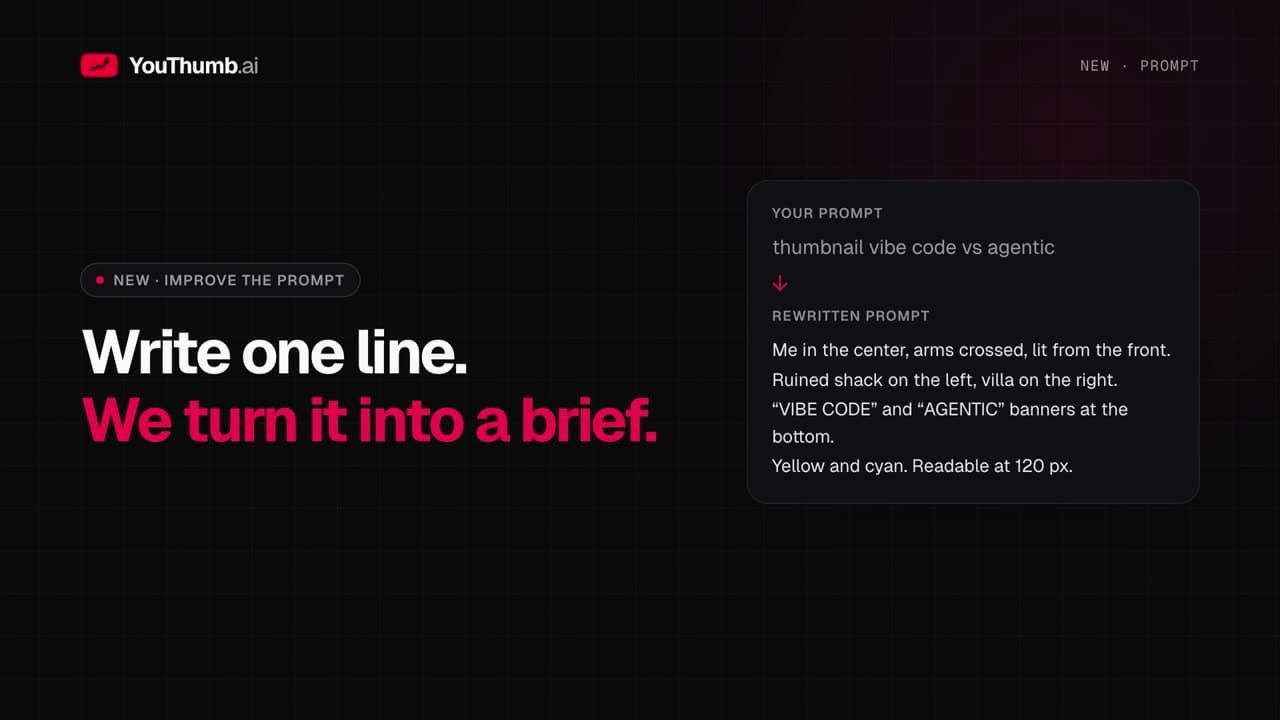
Improve your thumbnail prompt in one click
Most prompts start like this: "thumbnail for my video about…". That is too vague to get a thumbnail that reads at small size. Improve the prompt does the rewriting for you, without replacing anything behind your back.Improve the prompt
Under the source thumbnail, click Improve the prompt. Tick what the AI should reinforce:- Composition: where elements go
- Visual hook: what catches the eye
- Mobile readability: what stays readable at small size
Replace or keep the original
The rewritten prompt shows up under yours. You choose: Replace or Keep the original. Nothing changes without your approval. Example from the video. The starting prompt:thumbnail for my video vibe code vs agenticbecomes:
Me in the center, arms crossed, lit from the front. On the left a ruined shack, on the right a modern villa: before and after. "VIBE CODE" yellow and "AGENTIC" cyan banners at the bottom, huge. Readable at 120 px.The rewrite keeps your
@image1 and @sketch1 tokens, stays in your prompt's language, never describes your face and never invents text to display.
Reuse this run
On any run card, Reuse this run reloads the whole setup into the composer: prompt, source, person, references, sketch, number of variations and options. Nothing is generated. Change one word, then click Generate. To relaunch the exact same attempt, use Regenerate.The right habit: improve once, generate, then reuse the best run to adjust one detail at a time.
Related Articles

youthumbyoutube
Start from a YouTube video and your own images
Paste a YouTube link: its thumbnail becomes the source. Add your logos and photos as references, placed precisely in the prompt.
youtube
Why Your YouTube Thumbnail Matters More Than Your Video
Why Your YouTube Thumbnail Matters More Than Your Video

youthumbcompare
Compare thumbnail variations side by side
Tick your variations, click Compare: they show up at the same scale. Keep the best one as a favorite.